
Sing on your TV,
phone & car
Search karaoke songs online, line singers up in a queue, move the key to suit your voice, and save songs to play without internet. It carries our own karaoke catalogue too — songs you will not find by searching YouTube. One APK for phones, Android TV boxes and Android car screens.
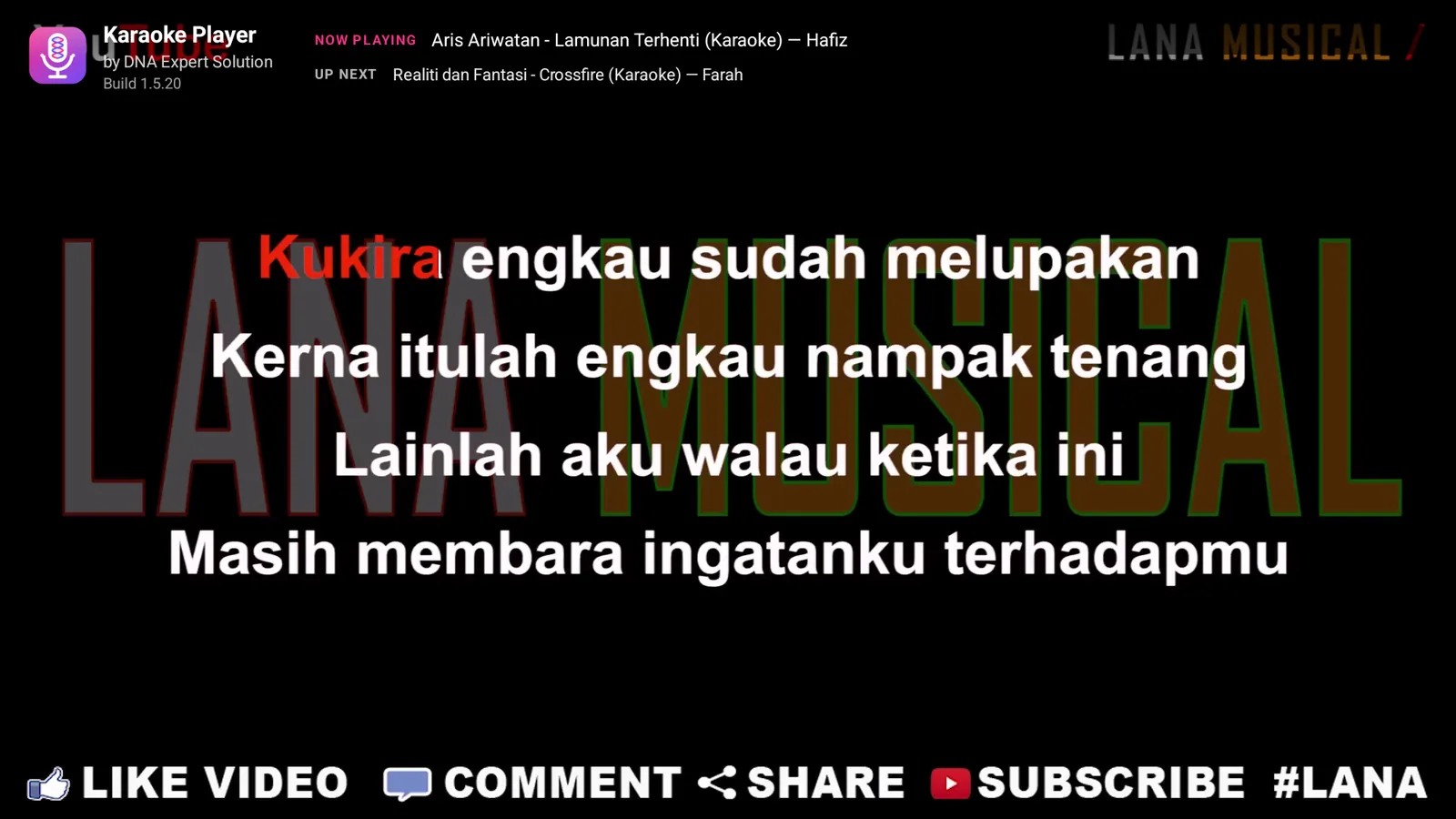
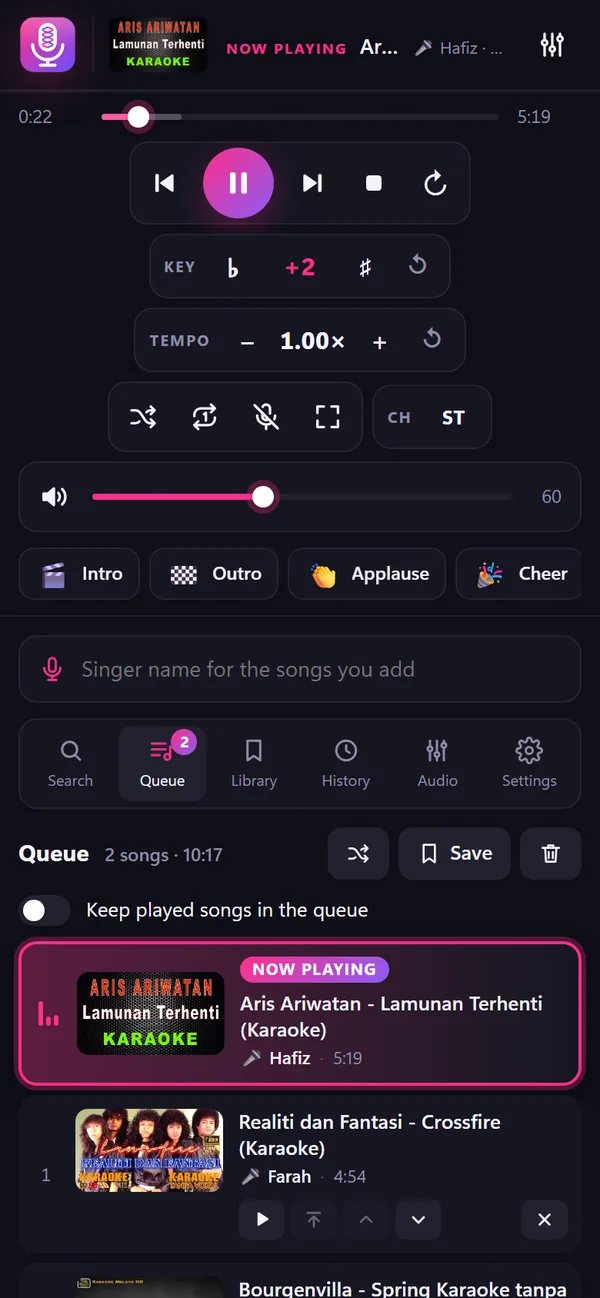
Phones & tablets
A clean touch layout in portrait or landscape. Double tap the video for full screen.
Android TV box
Built for the remote: D-pad navigation, media keys, and colour keys for sound effects.
Android car screens
Install on an Android head unit. Passengers can request songs from their own phones.
Real screens, not mock-ups
Every picture is taken from the app running on Android TV. Pick a section to see it.
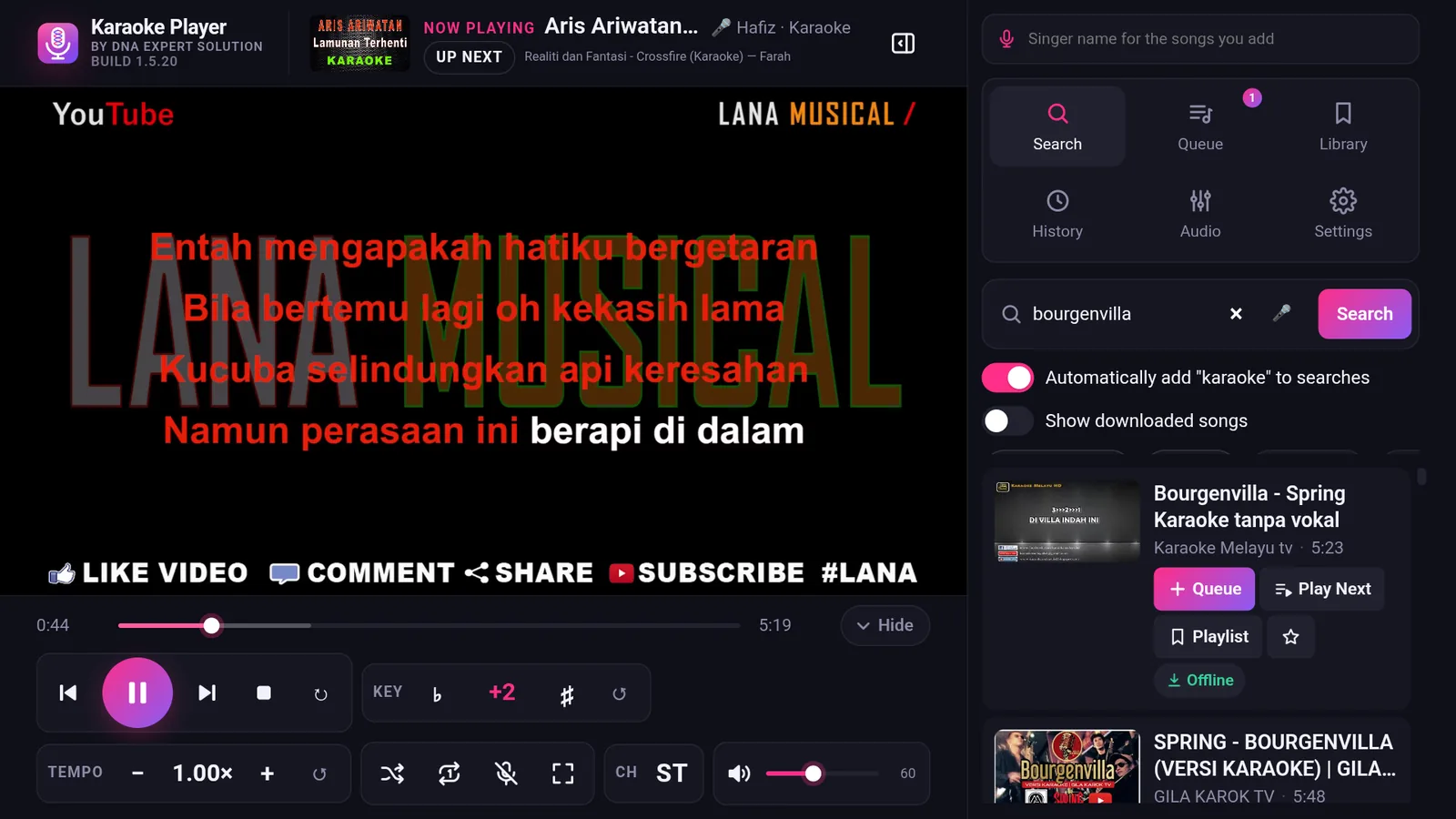
The key that fits your voice
Raise or lower the key without changing the tempo, even while a song plays. Try the slider below.
×1.122
+2 semiton: sesuai untuk suara yang lebih tinggi daripada penyanyi asal.
- TEMPO
- 0.50× – 1.50× with the pitch held, for practising fast songs.
- CH · ST L R MN
- One audio channel button. For VCD karaoke videos that put the music on one side and the vocals on the other.
- VOCAL CUT
- Reduce the original vocals on songs that have no karaoke version.
- EQ · 31 Hz–16 kHz
- 10-band equalizer with bass, treble and presets such as Vocal Clarity, Dangdut, Ballad and Rock.
- DELAY · 0–500 ms
- Line the sound up with the picture on TVs that process video late.
Everything a karaoke night needs
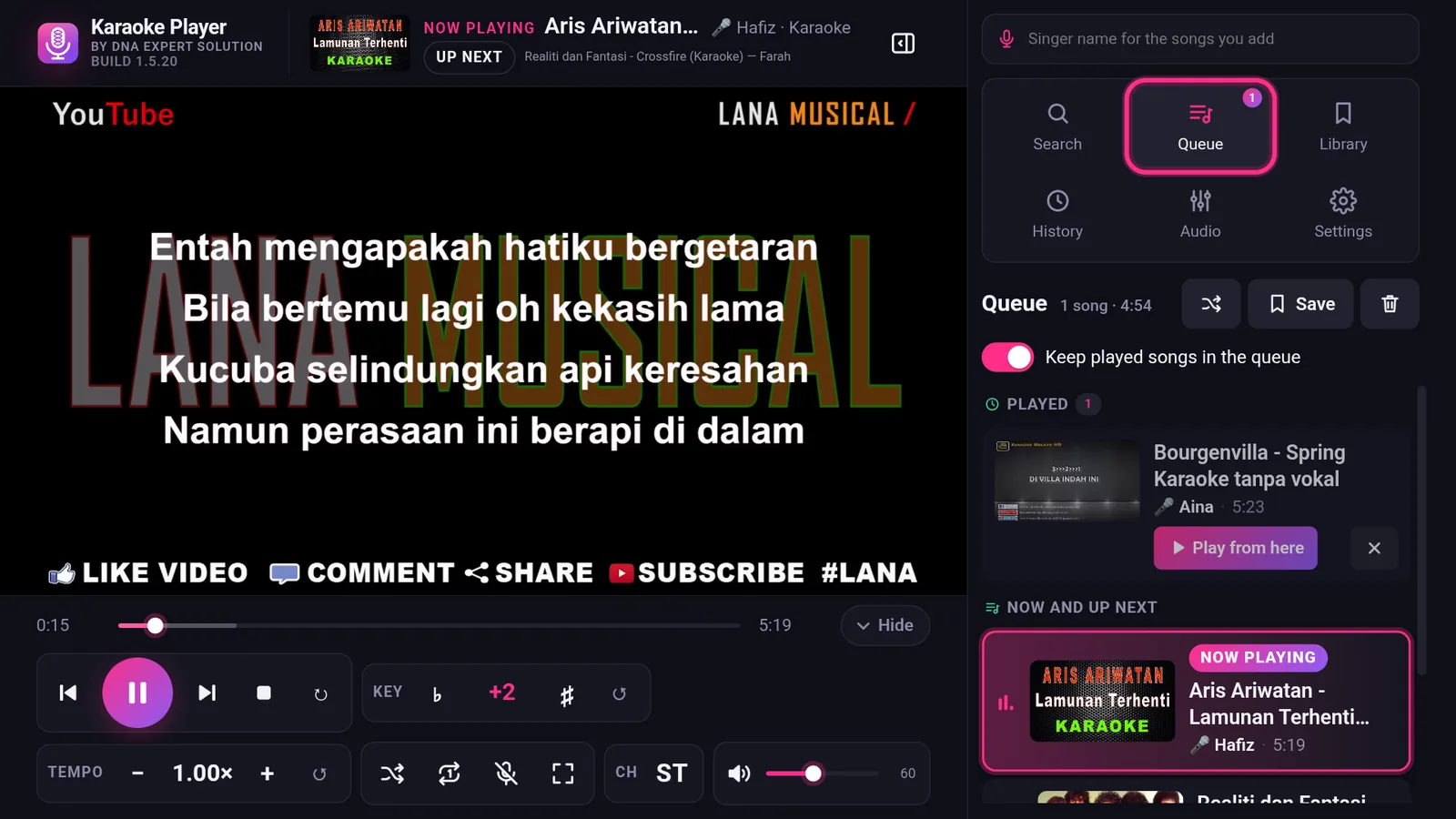
A queue that does not forget
- Singer names on every song, so everyone knows whose turn it is.
- The song now playing is clearly highlighted in the list.
- Keep played songs and tap “Play from here” to start again from any song.
- Reorder, play next, shuffle and repeat.
Play without internet
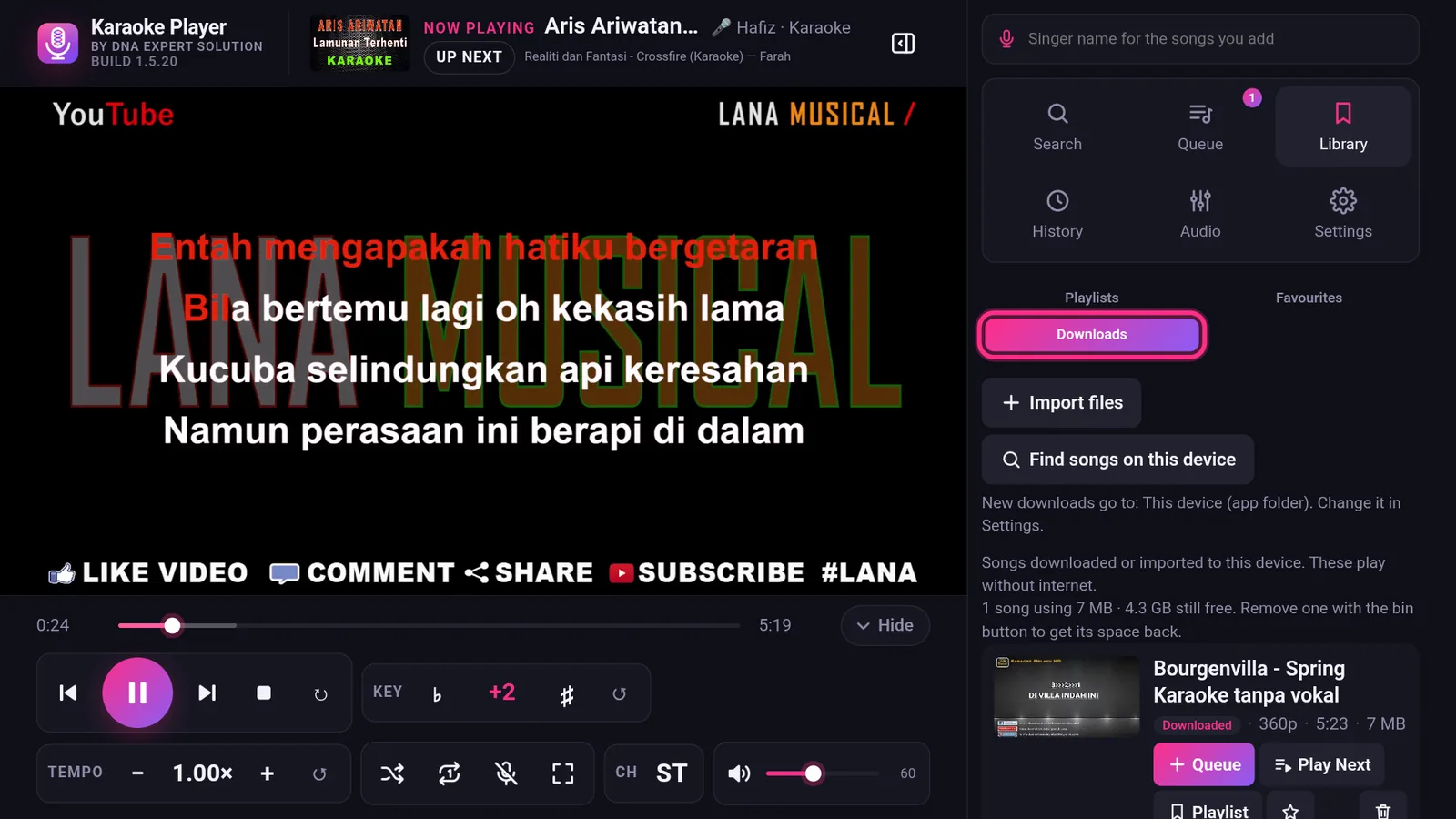
- Download as MP4 (H.264 + AAC), from 360p to 1080p.
- Choose where to save: the app folder, Movies, or a folder of your choice.
- See the space they use and how much room is left, and free some up by removing a song you have finished with.
- Import songs you already have from the phone, an SD card or a USB drive.
- Mixed playlists of online and offline songs. Without internet, songs not yet downloaded are skipped after 5 seconds.
Phone remote
Scan the QR code and guests can search and request songs from their own phones. The host can lock the player controls.
Song requests
Cannot find a karaoke track anywhere? Open Settings, type the artist and the title under Song Request, and press the button. It comes straight to us, and we add what people ask for.
Playlists
Save the queue as a playlist, rename it, reorder or remove songs, and add songs from search or history.
Smooth streaming
Video quality follows your internet speed so songs keep playing. A reload button rescues a song that will not start.
Sound effects
Applause, cheers, laughter and more, plus 5 slots for your own sounds.
Sound meter
A live picture of the sound in the Audio panel: bass on the left, treble on the right, height is loudness. Switch it on to spot a video with a hum underneath, a harsh edge on top or a muddy middle — and the karaoke screen itself stays clean, with nothing drawn over the words.
Auto volume
Karaoke videos are recorded at wildly different levels. Switch this on and every song is measured and brought to the same loudness, so nobody reaches for the volume between songs. A song played before is already right from its first second.
Favourites
Tap the star on any song — in a search, in your history or in your downloads — and it waits for you in the Favourites list. Guests can star songs from their own phones too, and everyone sees the same list.
Our own songs
The player carries a special song catalogue of its own — recordings you will not find by searching YouTube, because they are not published there. They come up by name in the app's search like any other song, marked so you can see which ones they are, and the list keeps itself up to date.
Plays with the screen off
Lock the phone, or switch to something else, and the music keeps going — with play, pause and skip on the lock screen itself. Come back and the same song is still playing, with your queue where you left it. It works as an ordinary music player, not only for karaoke nights.
Support file
If something ever goes wrong, one button writes a small text file with your app version, your settings and the last few errors, ready to send to us on WhatsApp. It holds no passwords and no songs, and you can read it yourself before sending it.
Full screen
Double tap the video, or press the full screen button on a phone remote to send the TV in and out of full screen without getting up. The song playing and the one coming next scroll along the top on a single line, level with the logo — and Settings can switch either of them off or fade them back, so nothing sits over the picture that you did not ask for.
TV remote
Channel keys change the key, colour keys play sound effects, and the volume keys stay in step with the slider in the app.
6 skins
Neon, Ocean, Emerald, Sunset, Carbon and Daylight.
History & recent searches
Songs you have played and your latest searches are always ready to pick again. Voice search is supported.
Per-device licence
Each licence is tied to one device by its Device ID, and activating registers that device with us over the internet, so a key cannot be passed around. After that the app plays with no internet at all, and updating keeps the licence.
Installed in minutes
The app installs straight from the APK file. Choose your device.
Why Android shows a warning
Karaoke Player is sold directly, not through the Play Store, so Android treats it as an app from an unknown source. The warning is about where the file came from, not about anything found inside it.
What you will see, and what to tap
- While downloading: “File may be harmful” (Fail mungkin berbahaya). Chrome shows this for every .apk file, from any website, because an app file can install software. It is not the result of a scan of this file. Tap Download anyway (Muat turun juga).
- “For your security, your phone is not allowed to install unknown apps from this source.” Tap Settings, turn on Allow from this source for your browser or file manager, then go back and tap Install.
- Play Protect: “unsafe app blocked” or “app not recognised”. Tap More details, then Install anyway. Play Protect flags every app it has not seen distributed through the Play Store, so a brand new app outside the store always gets this notice.
- On an Android TV box: Settings → Security & restrictions → Unknown sources → turn it on for your file manager or the Downloader app.
- On a car head unit: the same setting, usually under Settings → Security. Install while the vehicle is parked.
- After installing you can leave Play Protect scanning switched on. The app keeps working normally.
Check that your file is the real one
Only install the APK from this page. Compare the size and the fingerprint below; if either differs, the file was changed somewhere along the way and should not be installed.
- KaraokePlayer-DNAExpert-Android-1.5.29.apk12,904,617 bytes (12.9 MB)
- SHA-256 fingerprint60a74528d33cc7a4 f764c3303c3b0274 a253f873ea5618f4 f44ea0cb4d8295d0
On Windows, check it with certutil -hashfile KaraokePlayer-DNAExpert-Android-1.5.29.apk SHA256 — the spaces above are only there to keep the line readable.
What singers say
Ratings are sent from inside the app by people who have installed it - Settings › Rate Karaoke Player. Every rating counts in the average.
RM4.99 a week, paid from your phone
Install the APK and open the app. Tap Buy licence — or scan its QR code with another phone — pay with online banking, and the app switches itself on within a minute. There is no key to type and nothing to send us.
- Free for 30 days. Tap Start 30-day free trial in the app. No payment, nothing to ask for. The device needs internet once, to register the trial.
- Renew any time. Settings › Licence › Renew. Paying early adds 7 days on top, so no day is lost.
- One device. The licence is tied to it. Reinstall the app or reset the box and the licence comes back by itself.
- Lost your key? Find my licence key shows it again from the Device ID.
Why a small weekly fee rather than a one-off payment: the app has to keep up with YouTube, which changes several times a year. The fee pays for those fixes, and the app downloads them itself — you tap Check for updates in Settings instead of reinstalling by hand. Songs you have downloaded keep playing from your device either way.
Questions
Does it need internet?
Search and online songs need internet, and so does activating a licence or starting the free trial — that registers the device with us, once. After that the app runs with no internet at all: songs you have downloaded or imported keep playing, and the licence keeps working.
Which Android versions are supported?
Android 6.0 and later, on phones, tablets, Android TV boxes and Android car head units.
Can I move my licence to another device?
A licence is tied to one device. If you change devices, you will need to buy a new licence.
Will an update remove my licence or songs?
No. Install the new version over the old one. Your licence, playlists and downloads stay. Only uninstalling the app removes them.
Is it safe to use in a car?
Watch video only while the vehicle is stopped or parked. While driving, let a passenger pick songs from their phone.
Karaoke Player plays videos that are hosted by other companies. If those companies change or block the way apps outside their own stores reach them, and no update can restore it, that is outside our control and no refund is due for time already used. Songs you have downloaded keep playing from your device.